TechTatic Frontier
Logitech G213 Prodigy RGB Gaming Keyboard
Logitech G213 Prodigy RGB Gaming Keyboard
Couldn't load pickup availability
Five-zone RGB lighting for your gaming desk
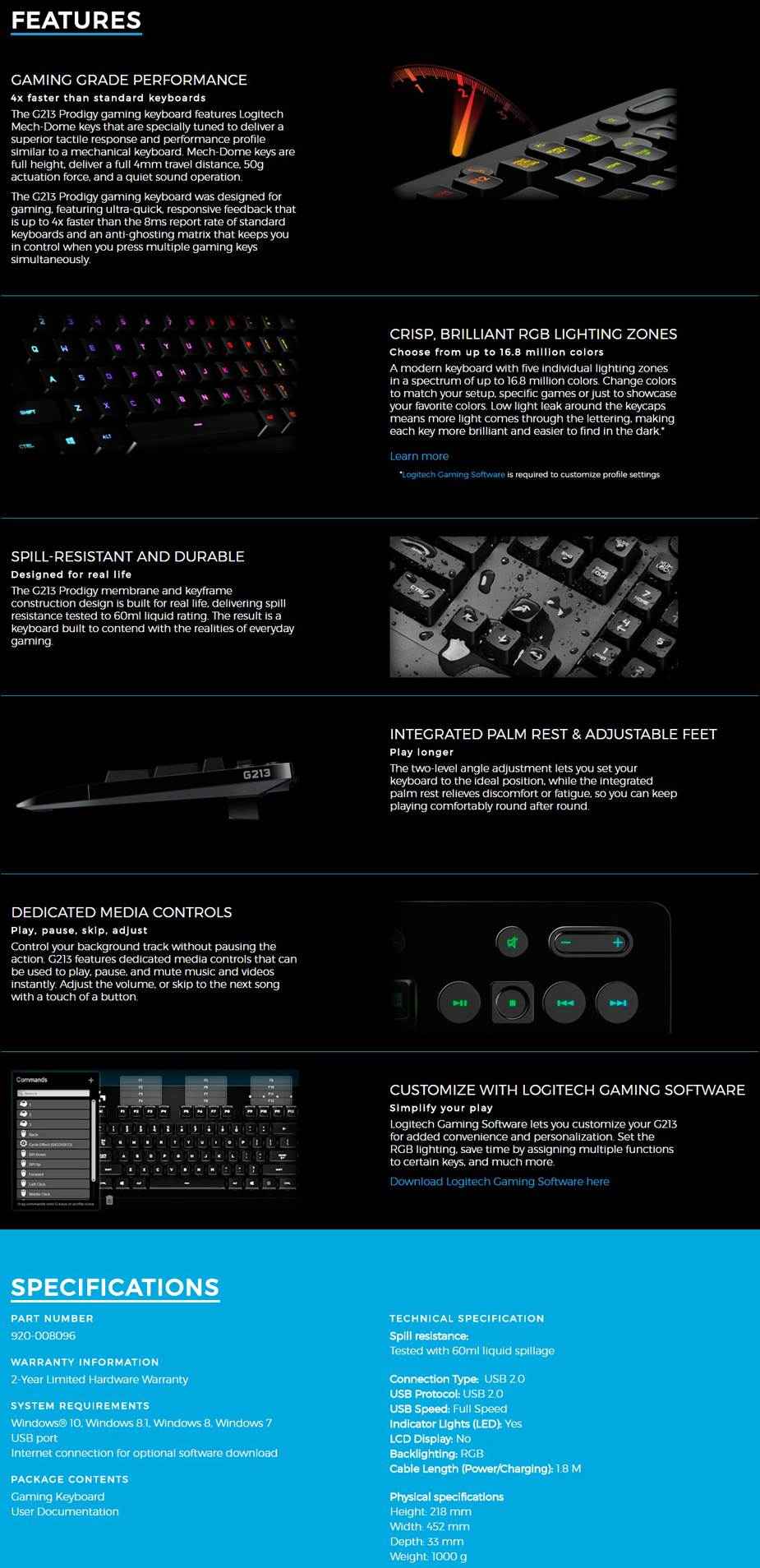
The Logitech G213 Prodigy RGB Gaming Keyboard combines tactile Mech-Dome keys, customisable lighting and dedicated media controls in a wired USB design. An integrated palm rest and adjustable feet help you arrange your typing setup.
Key features
- Five RGB lighting zones: Customise each zone from approximately 16.8 million colours and different brightness levels using Logitech G HUB. Lighting is zone-based, not individually customisable per key.
- Logitech Mech-Dome keys: A tactile, membrane-based design for typing and gaming.
- Dedicated media controls: Play, pause, skip tracks, mute and adjust volume with the keyboard's media buttons.
- Spill-resistant construction: Tested by Logitech to a 60ml liquid rating. This is spill resistance, not waterproofing; avoid exposing the keyboard to liquids.
- Adjustable setup: Integrated palm rest and adjustable feet.
- Wired USB connection: A 1.8m cable connects the keyboard to a compatible computer.
Specifications
| Model | Logitech G213 Prodigy |
|---|---|
| Key design | Logitech Mech-Dome, membrane-based |
| Lighting | Five customisable RGB zones, approximately 16.8 million colours |
| Connection | Wired USB 2.0 |
| Cable length | 1.8m |
| Dimensions | 452mm wide × 216mm deep × 34mm high, as listed in Logitech's technical specifications |
| Weight | 1,100g including cable |
| Software | Logitech G HUB for lighting customisation on a supported system |
| Part number | 920-008096 |
Compatibility
Requires a compatible computer with a USB connection. Logitech's original technical specifications list Windows 7, 8, 8.1 and 10 support at release. That historical list does not establish current software support. Check Logitech's current G213 and G HUB requirements for your operating system before purchasing, particularly for Windows 11, macOS or Chrome OS. Basic keyboard operation and software customisation may have different requirements.
Getting started
- Connect the keyboard's USB cable to your compatible computer.
- Use the dedicated backlight-toggle key above the Pause key to turn lighting on or off.
- Use Logitech G HUB on a supported system to customise the five lighting zones.
- Adjust the feet to suit your preferred typing angle, and use the dedicated media buttons for playback and volume.
For manufacturer support and warranty information, refer to Logitech's G213 support resources. No warranty-activation registration requirement is claimed here.